NeoProof
Create answer sheets, generate one per student with a QR code, read marks by scanner or phone and grade exams with an answer key, all on your computer.
On this page
NeoProof is Neo’s app for multiple-choice exams. It creates the answer sheet, identifies each student, reads the marks on scanned or photographed sheets and grades with the answer key. Everything runs on your computer.
Create the sheet#
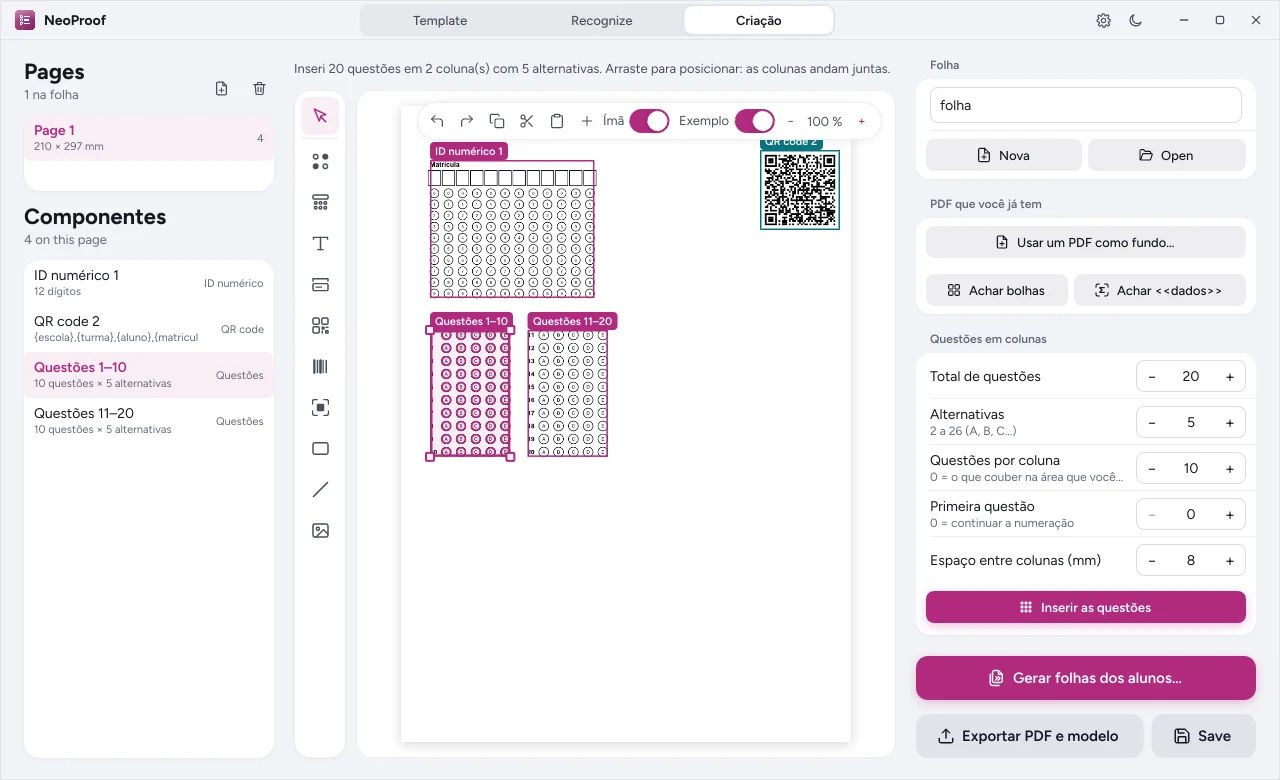
- Open the Creation tab and choose a ready-made template or start from a blank sheet. If your school already uses a sheet, mark the areas on top of it.
- Add questions in columns by setting the total, the number of options and how many questions go in each column.
- Place the identification fields, the QR code and the anchors. Use align, distribute and snapping to keep everything in place.
- Copy, cut, paste and duplicate elements; layer order is up to you.
Generate one sheet per student#
Choose the class and NeoProof generates a sheet for each student, with the name and an identification QR code, ready to print. The QR code spares students from writing their name and prevents mixed-up sheets.
Read the sheets#
- Add the pages: image files, folders or scanned documents.
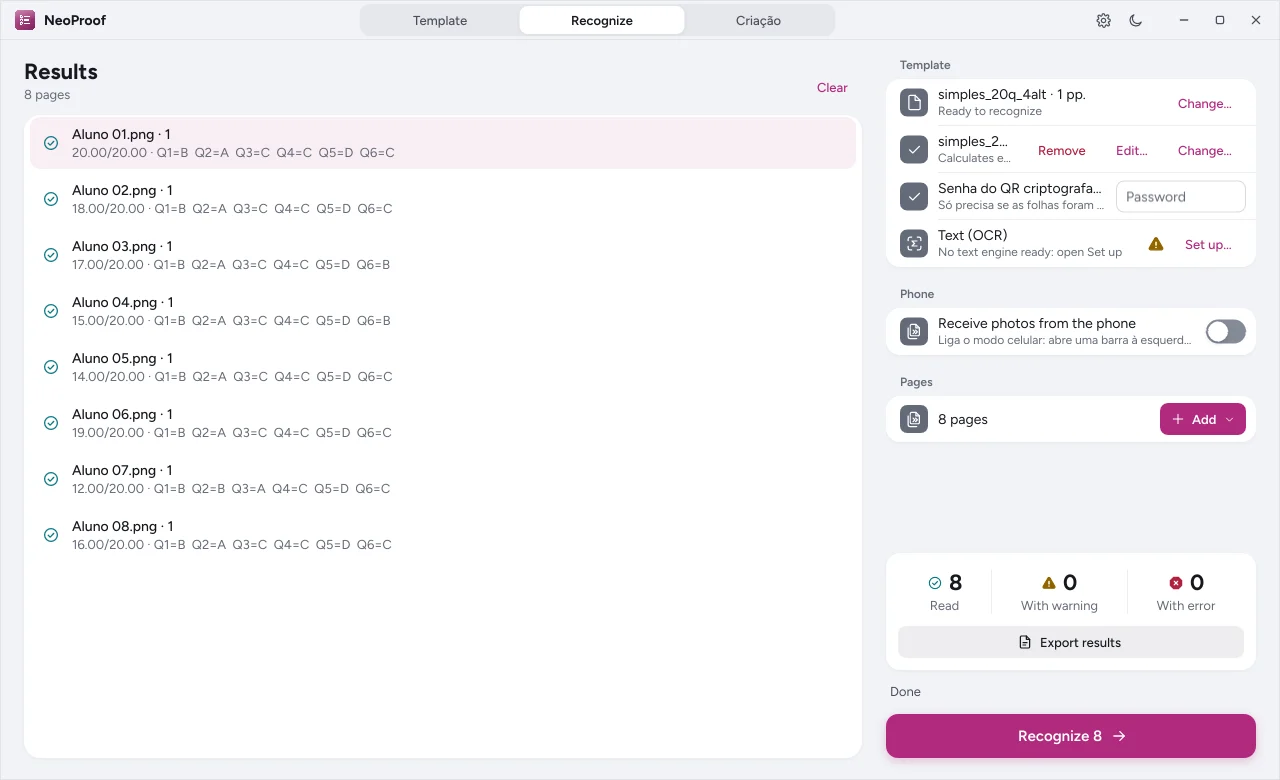
- Click to read. NeoProof aligns each page, reads the bubbles, text fields and QR code and shows each sheet’s result.
- Review the sheets with warnings: double, blank or unreadable marks are highlighted.
To photograph with your phone, use phone mode: the phone app sends the photos to the computer over the school network, no cables.
Grade with the answer key#
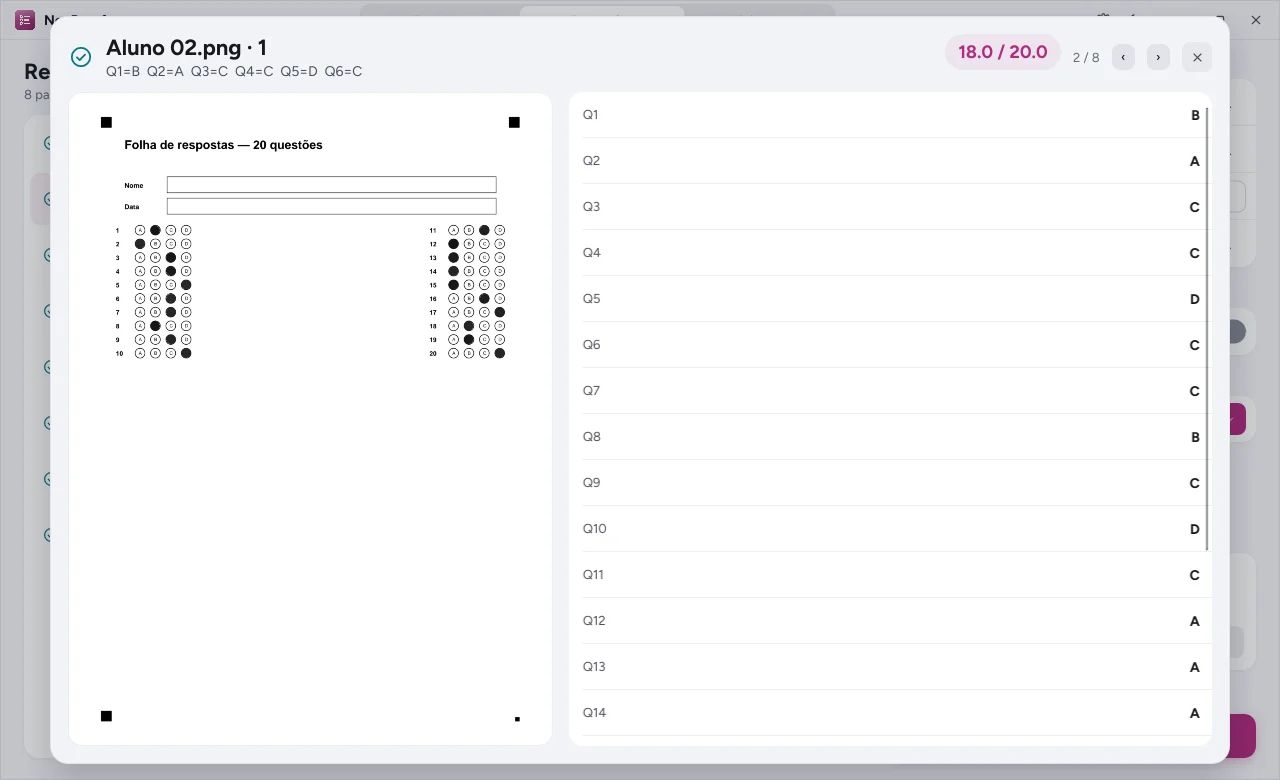
Set up the answer key with sections, weights, bonus points and voided questions. Each sheet gets a score, correct answers, wrong answers and blanks. Export the result to a spreadsheet for the gradebook and the coordinators.
Automation#
NeoProof also has a command line and tools for AI assistants, to fit reading and grading into your school’s routine.