NeoChem
Neo's chemistry app for drawing structures, building reaction schemes, browsing the periodic table, exporting images and converting chemical formats.
On this page
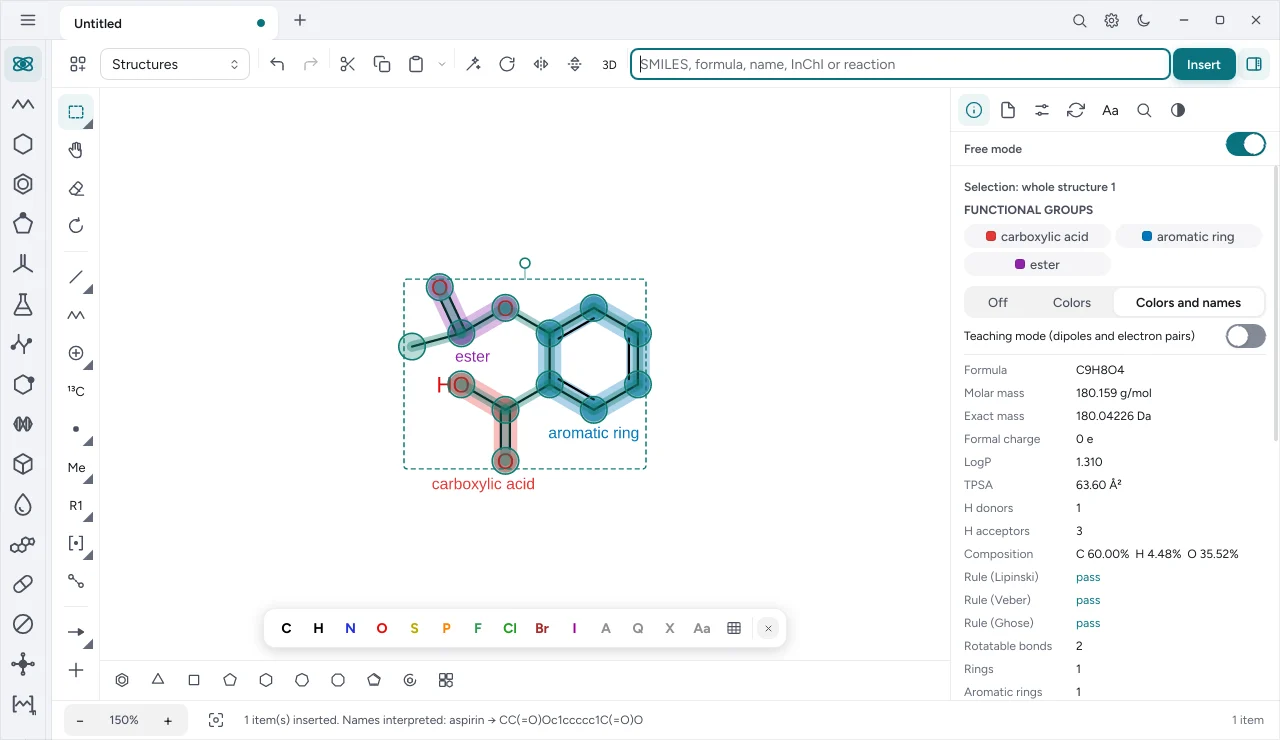
NeoChem is Neo’s chemistry app. It has the same window, theme, preferences and shortcut style as NeoMath, and opens straight into the chemical scheme editor: structures, plus signs, reaction arrows and text, in sequence.
Build a scheme#
- Type a SMILES (
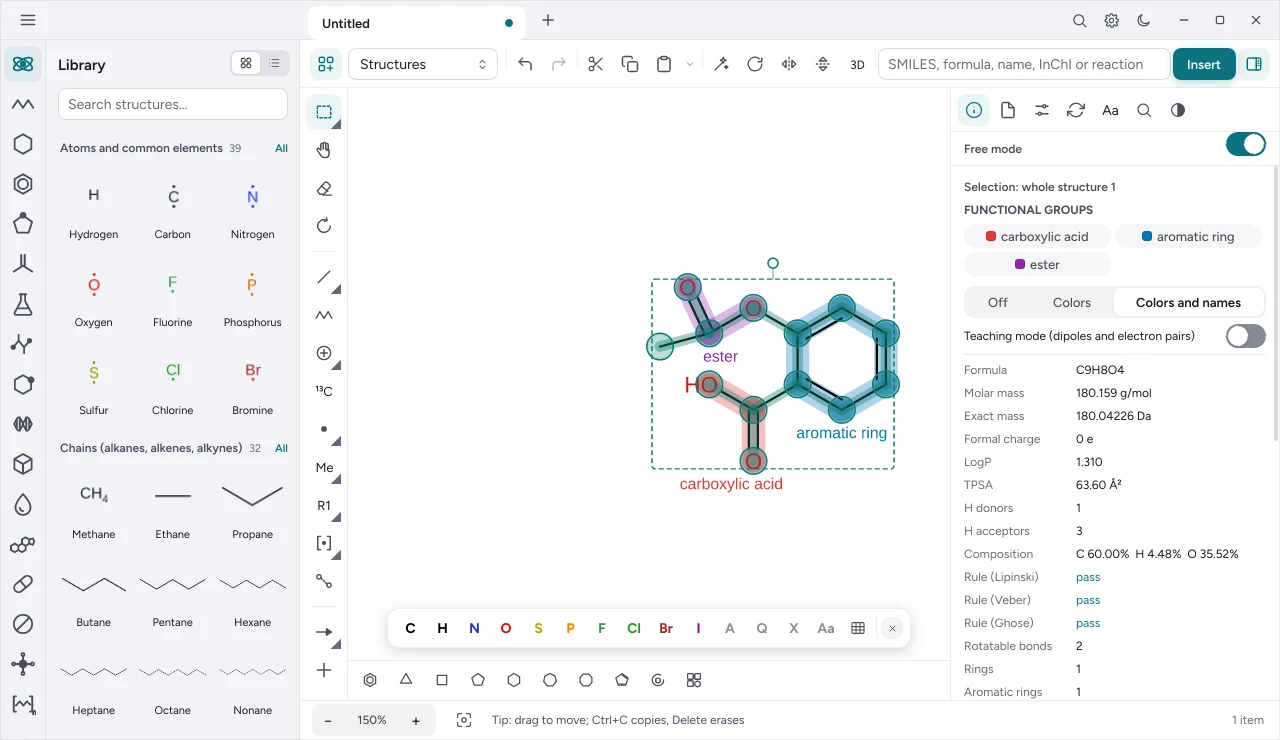
CC(=O)O), a formula or a catalog structure name in the input field. Ctrl+KI takes the cursor to the field. - Or pick a ready-made structure from the library, organized by category and searchable.
- Add plus signs (Ctrl+KM), arrows (Ctrl+K1 to Ctrl+K5) and free text (Ctrl+KT).
- Rotate, flip, duplicate and rearrange items with the inspector or the shortcuts.
- Save the scheme as
.neochem(Ctrl+S) or export it as an image.
Periodic table#
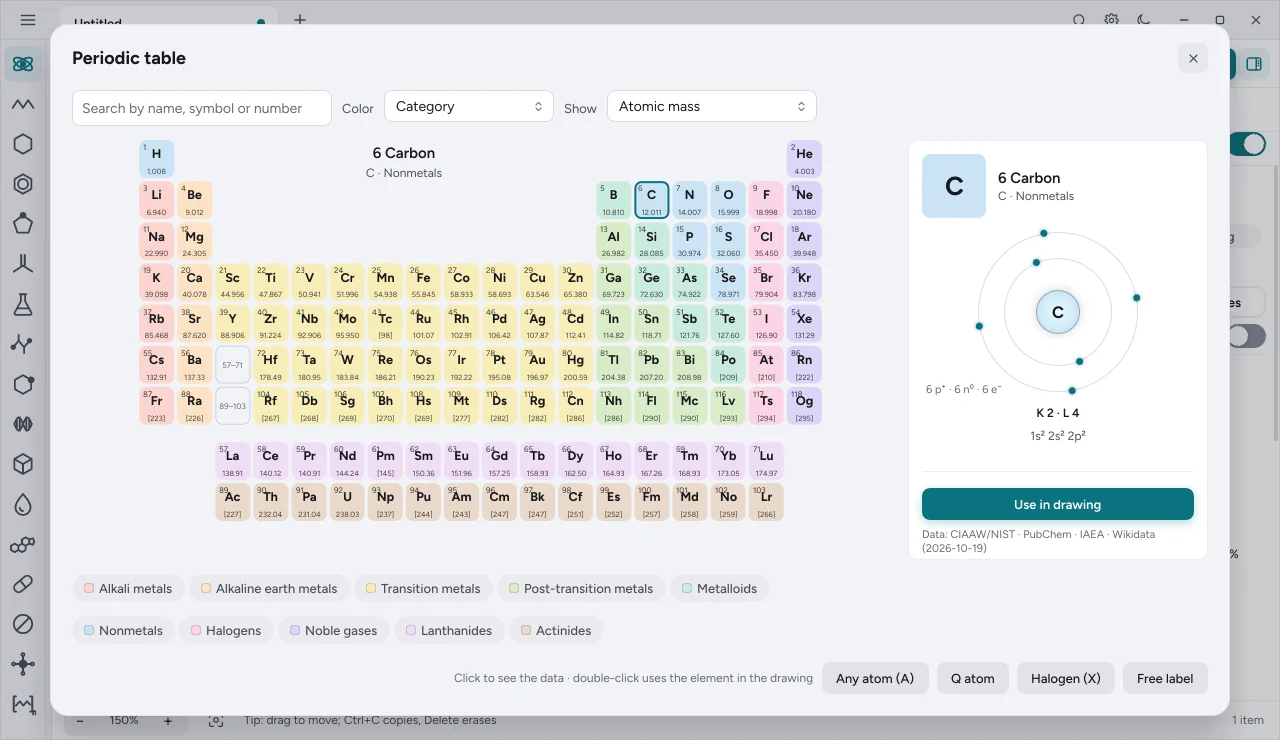
The periodic table has all 118 elements, with category filters and each element’s data: standard atomic mass, group, period, electron configuration, electronegativity, oxidation states, melting and boiling points and isotopes.
Formats#
| Input | Output |
|---|---|
SMILES (.smi, .smiles), MOL V2000 and V3000, SDF, CML, CDML, CDXML, KET, RXN |
SMILES, MOL, SDF, CML, JSON, SVG, PNG, JPEG, TIFF, WebP, JPEG XL, EMF, chemfig |
.neochemis NeoChem’s own file (CML of the scheme with an identification header).- Images reopen for editing in NeoChem, as in NeoMath.
- The curved arrow comes out curved in SVG, PDF, EPS, EMF and the image formats, and in CDXML. In KET, CDML, CML, RXN and chemfig it is written straight, with a warning in the export report.
- Drawing texts accept any installed font. In EPS and PDF, a font other than Times or Helvetica goes as outlines, with the exact drawing of the font.
Main shortcuts#
Chemistry shortcuts use the Ctrl+K chord:
| Shortcut | Action |
|---|---|
| Ctrl+KM | plus sign |
| Ctrl+K1 to Ctrl+K5 | arrows: reaction, equilibrium, retrosynthesis, resonance, reversible |
| Ctrl+KT | free text |
| Ctrl+KD / Ctrl+KZ | duplicate / remove |
| Ctrl+KR, Ctrl+KE | rotate and rotate back |
| Ctrl+KF, Ctrl+KV | flip horizontally and vertically |
| Ctrl+KS, Ctrl+KP, Ctrl+KC | save SVG, PNG, CML |
| Ctrl+KY, Ctrl+KK, Ctrl+KJ | copy image, SMILES, CML |
| Ctrl+KQ and the template key | insert a catalog structure |
The full list and how to customize are in Keyboard shortcuts.
Chemistry in formulas and equations#
NeoMath understands \ce{}, \ch{}, \pu{} and chemmacros commands in any equation, in the API and in MCP:
\ce{CaCO3 ->[\Delta] CaO + CO2 ^}Automation#
NeoChem has its own command line (neochem), neo.quimica.* functions in NeoScript and the chem_* tools in the MCP server. See Command line and MCP server.